
WeatherWise.app
Interactive WeatherWeather
4.3725.00 Reviews
- Version
- 1.9.4
- Installs
- 500.00K
- Age Rating
- Everyone
Screenshots
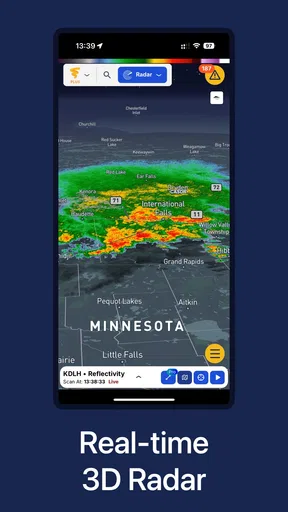
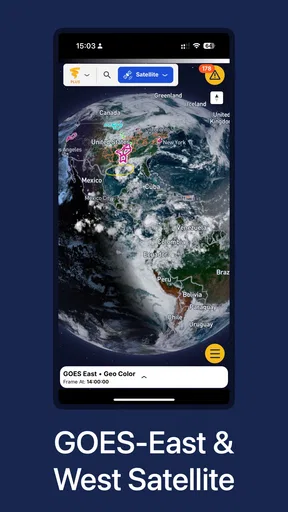
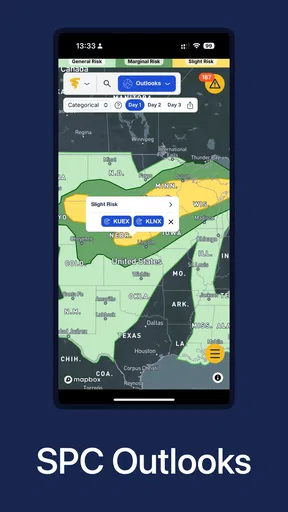
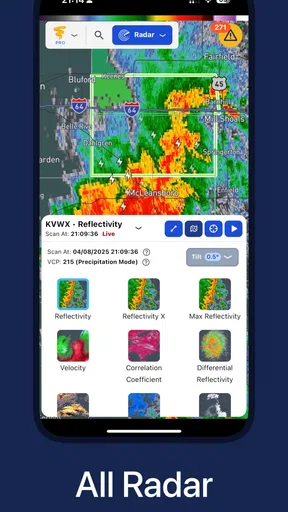
Our Review of WeatherWise.app
 Analysis by Appyee
I like having one weather app the household can check before making plans, especially when the forecast matters to more than one person. WeatherWise.app is built around weather radar, so its most useful role is helping me look at changing conditions rather than relying only on a single line of text saying rain is expected. I’d treat it as a shared reference point for a quick “should we leave now?” conversation, not as a replacement for agreeing who is responsible for checking the forecast.
A shared screen, not a shared account
On a phone that several people use, a radar view can make a forecast easier to discuss. One person can check whether rain seems to be approaching while another decides whether to bring a coat, move a walk, or wait before heading out. That kind of quick visual check is more useful than passing around a long forecast when everyone just needs to make a near-term decision.
Shared-device use also calls for a little care. I would avoid assuming that one person’s settings or alerts automatically suit everyone who picks up the phone. A weather warning that is helpful to someone heading outdoors may be distracting to someone else, and personal preferences can differ. Before relying on the app for a household routine, I’d agree on who checks it and how the group will pass along important changes.
Set expectations before relying on alerts
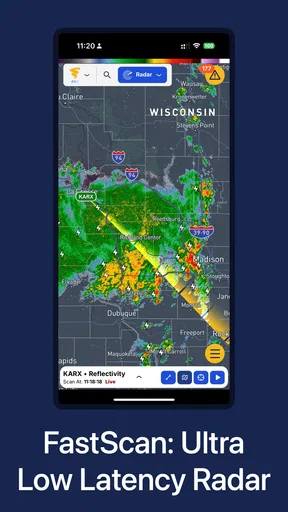
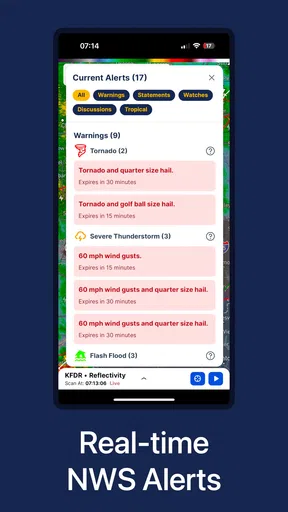
The app’s appeal is its focus on real-time radar and severe-weather awareness, but no radar screen should be treated as a guarantee that conditions will unfold exactly as shown. Weather changes, and a map is one input for making a decision rather than a promise about what will happen at a particular doorstep. I use it to inform plans, not to make a safety-critical call by itself.
That distinction matters when setting up a shared phone. Choose alert preferences with the actual user in mind, and make sure people know where to look for current conditions instead of assuming that a notification has reached everyone. If a plan depends on a serious warning, check a trusted local source as well and follow official instructions. The app can help make weather easier to monitor; it cannot take over household communication.
Useful for coordinating ordinary plans
A realistic use is a family deciding whether to leave for a park, a walk, or an outdoor errand. One person can open the radar before everyone gets ready, then check again close to departure if the sky looks uncertain. That second look is a practical habit: a forecast viewed hours earlier may not answer the question the group has right now.
I also see value for roommates or couples who split errands. If one person is walking and another is driving, a quick radar check can help them discuss whether to take a rain layer or adjust the timing. The useful part is not having everyone stare at the map; it is using the same view to make a simple decision together. For a routine commute where a basic daily forecast is enough, a standard weather app may be quicker.
Age, trust, and sensible limits
WeatherWise is rated for Everyone, which makes its intended audience broad, but I would still explain radar and alerts to younger users rather than treating the app as a substitute for adult judgment. A colored map can look definitive even when weather is moving or conditions vary locally. For children, the practical lesson is to tell an adult about a concerning alert and follow the household plan, not to decide alone whether travel is safe.
The app is free to install, while in-app purchases are available at different prices. I would check the purchase details before approving anything on a shared device, particularly if children can access it. That is a general account-boundary precaution, not a reason to assume the app includes special family controls. Interactive Weather develops the app, which is at version 1.4.1 and needs Android 7.0 or later.
First Impressions
From the moment I downloaded WeatherWise.app, I was impressed by its sleek and user-friendly interface. The app doesn't bombard you with unnecessary options, which is a relief. Everything you need is right there on the home screen. You get a clean, straightforward view of the current weather conditions, complete with temperature, wind speed, and humidity levels.
Features That Stand Out
One of the first things I noticed was the app's ability to provide hyper-local forecasts. Seriously, it's like having a personal weatherman in your pocket. You can get updates down to your exact street, which is super handy when you're planning a day out. Plus, the hourly forecast feature is a lifesaver when you're trying to dodge those unpredictable weather changes.
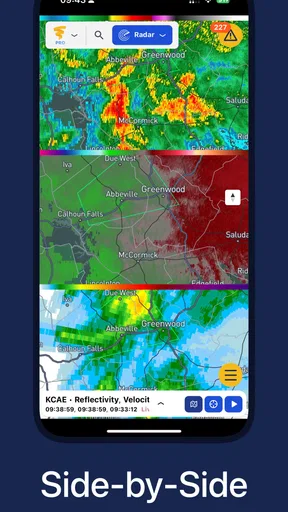
Another feature worth mentioning is the radar map. It's interactive and allows you to see weather patterns developing in real-time. This is particularly useful if you're someone who likes to keep an eye on storm systems or track rainfall.
What I Love
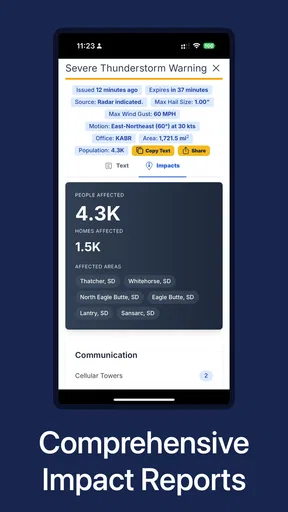
What really sets WeatherWise apart is its personalized alerts. I set mine up to notify me about severe weather changes, and let me tell you, it's been a game-changer. No more waking up to unexpected snow or rain; the app gives you a heads-up so you can plan accordingly.
Another feature I’m fond of is the sunrise and sunset tracker. As someone who loves photography, knowing the exact time of golden hour is invaluable for capturing those perfect shots.
Room for Improvement
While I’m generally impressed, there are a few areas where WeatherWise could step up its game. For instance, the widget options are a bit limited. I would love more customization options to tailor the app’s appearance to my personal style. Also, while the app does a great job with local weather, I noticed that the international forecasts can sometimes be a bit off. Hopefully, this is something that will improve with future updates.
Why You Should Try It
If you're someone who likes to stay a step ahead of the weather, WeatherWise.app is definitely worth checking out. It's reliable, accurate, and incredibly easy to use. Whether you're planning your weekly errands or an outdoor adventure, having this app on your phone ensures you're always prepared.
So, if you’re tired of getting caught off guard by unexpected weather changes, give WeatherWise a try. It's your trusty pocket meteorologist, ready to keep you informed no matter where you are.
Download it, set up your preferences, and see how it transforms the way you plan your days. Trust me, you’ll wonder how you ever got by without it.
How I’d use the radar in practice
The most helpful habit is to match the screen to the question you’re trying to answer. If I’m deciding whether to leave for a short walk, I look for the broad movement of rain and then check again near departure. If I’m planning a long drive or an all-day outing, I wouldn’t treat one radar glance as enough; I’d revisit conditions along the way and keep a backup plan. This is a small workflow change, but it prevents a vivid map from creating more confidence than the situation deserves.
Radar is also most useful when I’m comparing options, not just asking whether it will rain. A household might shift a playground visit earlier, move a dog walk to a sheltered route, or postpone carrying groceries on foot. The map helps make those trade-offs concrete. It doesn’t decide what is comfortable or safe for each person, so I’d still consider temperature, wind, mobility, and how long someone will be outside.
Where it fits among weather apps
Compared with the usual weather app that leads with a daily summary and a simple chance-of-rain figure, WeatherWise puts more emphasis on watching conditions develop. That makes it a better fit for people who want to inspect the radar themselves, especially when showers are patchy or timing matters. Someone who only wants tomorrow’s high and low may find a conventional forecast screen faster and less involved.
It also isn’t a substitute for a dedicated emergency alert channel or official local guidance. I see the radar as a useful extra view for everyday decisions and situational awareness, while serious warnings call for checking authoritative instructions. The right choice depends on how you use weather information: if you like to actively monitor changing skies, the map-centered approach has a purpose; if you want a quick glance and no further interaction, a basic forecast may suit you better.
Who will get the most from it
I’d recommend trying it if you plan outdoor activities, travel across town, or regularly coordinate errands around rain. It can also suit a household that wants a visual way to discuss weather without turning every decision into a detailed forecast debate. The strongest case is for people willing to open the map and interpret what they see, rather than expecting the app to make every choice for them.
I’d skip it as my main weather tool if I rarely look beyond a daily summary, need highly tailored international forecasts, or depend on extensive widget customization. The published average is 4.2 from around 760 ratings, and the app has more than 100K installs; those figures suggest it has found an audience, but they don’t tell me whether its particular style fits your routine. Its release date is September 24, 2024, and it is rated for Everyone.
Before making it part of the household routine
One question I’d ask before installing it on a shared phone is whether the device’s primary user is comfortable with the way weather alerts appear and who will act on them. I’d also make a clear rule for purchases: the app is free, but optional in-app items range from $1.99 to $159.99 per item, so a shared device should have sensible purchase approval practices. That range is wide enough that I would check each item carefully rather than assume every purchase is a small add-on.
Another practical question is whether it works for the people who need it. The listed minimum is Android 7.0, so I’d check the operating system before making the app part of a routine on an older device. For an iPhone household, I’d confirm the relevant platform availability before planning around it. I wouldn’t build a family process around an app until everyone who needs access can actually use it.
Finally, I’d decide what “prepared” means in your home. For one household, it may mean taking umbrellas before a walk; for another, it may mean delaying a drive when severe weather is expected and checking official advice. A radar app can support those choices, but the useful part is the habit of checking, discussing, and adapting. That is where WeatherWise makes the most sense to me: as a practical weather companion for people who want to pay attention, with clear limits and a sensible backup for higher-stakes decisions.
Privacy and Permissions
See what permissions an app requests and how it handles your data.
- Location
- approximate location (network-based), precise location (GPS and network-based)
- Photos/Media/Files
- read the contents of your USB storage, modify or delete the contents of your USB storage
- Storage
- read the contents of your USB storage, modify or delete the contents of your USB storage
- Camera
- take pictures and videos
- Microphone
- record audio
- Wi-Fi connection information
- view Wi-Fi connections
- Other
- view network connections, full network access, change your audio settings, run at startup, draw over other apps, control vibration, prevent device from sleeping
Verdict
Strengths of WeatherWise.app
- Intuitive and user-friendly interface.
- Accurate weather forecasts and alerts.
- Customizable notifications for severe weather.
- Wide range of weather data details.
- Minimal ads, enhancing user experience.
Limitations of WeatherWise.app
- Requires internet for real-time updates.
- Limited offline data access.
- Some features locked behind a paywall.
- Occasional location detection issues.
- High battery consumption during use.
Similar Picks in This Category
View All
Weather - By Xiaomi
Xiaomi Inc.4.1

Weather & Radar Forecast
WetterOnline4.8

Weather
OneLouder Apps4.6

AccuWeather: Weather Radar
AccuWeather3.6

The Weather Channel - Radar
The Weather Channel4.6

1Weather Forecasts & Radar
OneLouder Apps4.3
Frequently Asked Questions
What features does WeatherWise.app offer?
WeatherWise.app provides real-time weather updates, a 7-day forecast, and severe weather alerts. It also offers a radar map for tracking storms and a customizable widget for quick glances at the weather. Users can personalize notifications and set preferences for different locations, making it a versatile tool for planning your day.
Is WeatherWise.app free to use?
WeatherWise.app is free to download and use with basic features. However, it offers a premium subscription that unlocks advanced features such as ad-free usage, detailed radar maps, and extended forecasts. The subscription is optional and can enhance the user experience for those requiring more in-depth weather insights.
How accurate are the forecasts provided by WeatherWise.app?
WeatherWise.app utilizes data from reliable meteorological sources to ensure high accuracy in its forecasts. It continuously updates its information to reflect real-time changes. User feedback often highlights its precision, particularly in predicting short-term weather conditions, making it a trusted choice for many users.
Does WeatherWise.app support multiple locations?
Yes, WeatherWise.app allows users to track weather in multiple locations simultaneously. This feature is particularly useful for travelers or those who need to keep an eye on weather conditions in different areas. Users can easily switch between locations to view current conditions and forecasts.
What platforms is WeatherWise.app available on?
WeatherWise.app is available for both Android and iOS devices. It can be downloaded from the Google Play Store for Android users and the Apple App Store for iOS users. The app is optimized for both smartphones and tablets, ensuring a smooth user experience across different devices.
